 Deutsch
 English
 Español
 Français
Android App
Fast performance, high-quality map rendering, and optimized for mobile use. Free on Google Play.
View on Play StoreiOS / Web App (PWA)
For iPhone and iPad users or anyone without the Google Play Store: the web app at app.onroutemap.de works directly in your browser and can be saved to your home screen. The feature set is identical to the Android app.
Install the PWA on iOSAdd app.onroutemap.de to your home screen.
-
Open Safari
Visit app.onroutemap.de in Safari. Only Safari supports PWA installation on iOS.
-
Tap the Share icon
Tap the Share icon in the bottom toolbar (a square with an arrow pointing up).
-
Add to Home Screen
Select "Add to Home Screen" from the menu and confirm with "Add".
-
Done!
OnRouteMap now appears as an app icon on your home screen.
Desktop Browser
On desktop, OnRouteMap works fully in your browser with all features and no installation required.
Go to HomepageWhat the app can do
Fast & smooth
The app launches faster and runs more smoothly than the browser version.
HiDPI / Retina maps
Sharp map rendering on high-resolution displays.
Available offline
Maps loaded once remain usable without an internet connection. Great for areas with poor reception.
Location display
Your current location is shown on the map, so you can see your position on the route.
Full feature set
POI search, favorites, routebook, GPX/KML export for Garmin and other GPS devices, gradient visualization and multiple map layers (OpenStreetMap, OpenCycleMap, Topo).
Radius search
Find POIs at any point on the map, even without an uploaded GPX file.
See the app in action
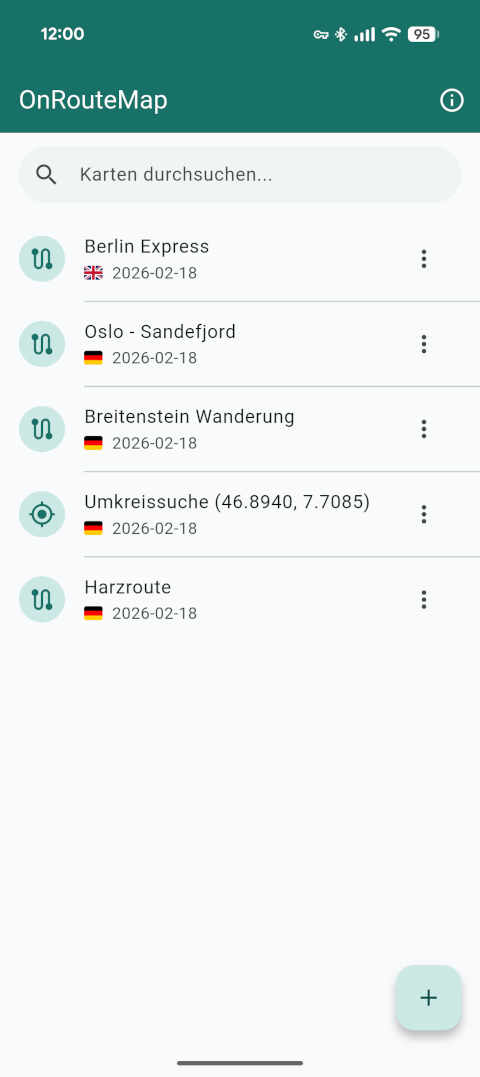
Your maps at a glance
The home screen shows all your saved maps in a clear list. Quick access to any route from here.
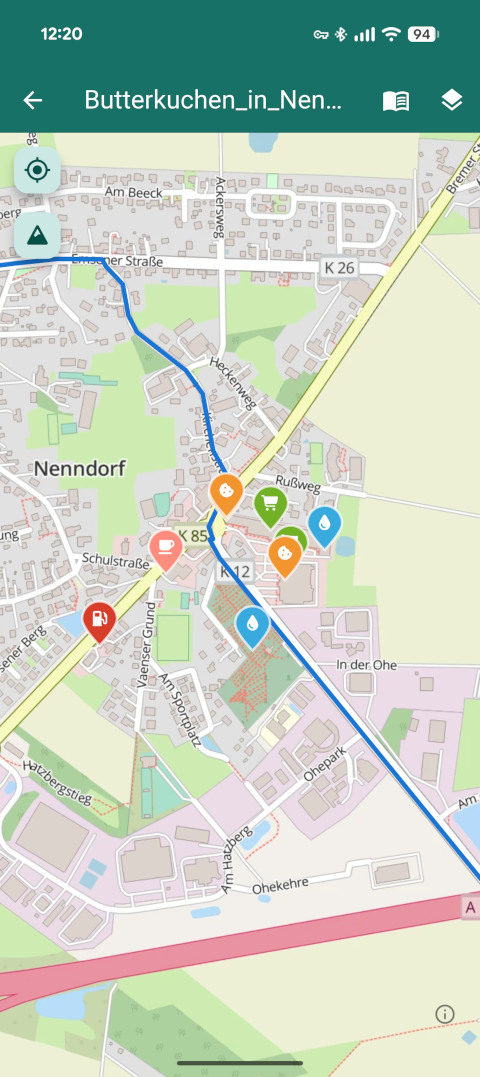
Route & POIs on the map
The map view shows the entire route with all points of interest along the way: supermarkets, gas stations, cafés, and more.
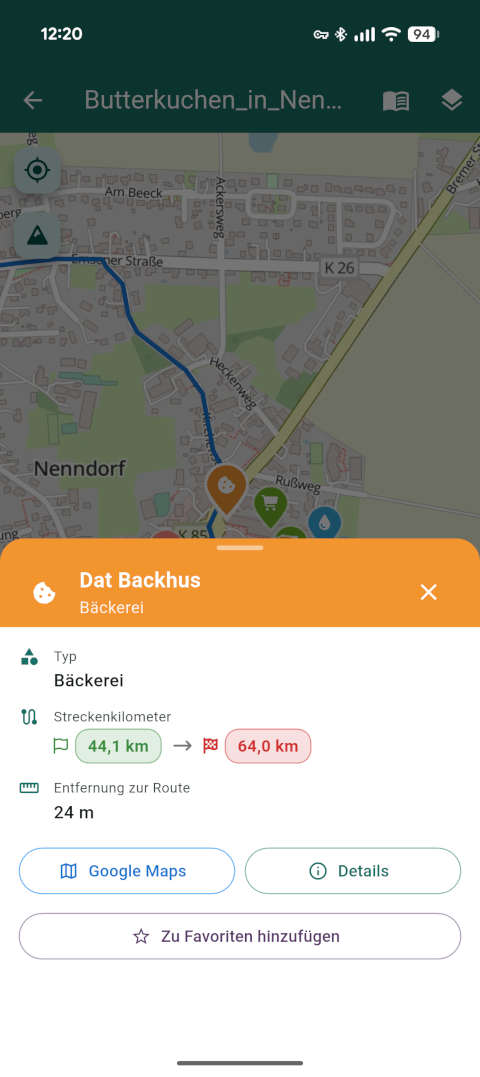
Details for every POI
Tap a POI to see the key info: route kilometers from start and to the finish, plus distance to the route. Opening hours and ratings are available via the details.